



To promote a voting campaign, define who should vote, give them one link that works on any phone, announce it across several channels, remind them at set points before it closes, and publish the rules and live results so they trust the outcome. That sequence works for a fan award, a school contest or a community poll. If you run it on a platform built for public voting, such as Izivote, the voting page, live results and automatic closing are already in place, so your time goes into promotion.
Key Takeaways
- Start with the audience and the goal. Guidance for voter outreach begins by naming who you want to reach and what you want them to do.
- Use a mix of channels, not one. Social posts, email, your website, fan groups and in-person touchpoints each reach different people.
- Send three core messages: at announcement, when voting opens and before it closes. Add reminders only if you have news to share.
- Make voting easy and clear: simple language, mobile-friendly pages, and plain rules on who can vote, how often and when voting ends.
- Show results and explain the process. Trust comes from doing what you said you would do, on the schedule you gave.
Table of Contents
- Step 1: Decide who you want to vote and why
- Step 2: Build one clear place to vote
- Step 3: Pick channels that match your audience
- Step 4: Time your announcements and reminders
- Step 5: Make voting easy for everyone
- Step 6: Explain the rules so people trust the result
- Step 7: Add incentives and engagement carefully
- Step 8: Measure what happened and improve next time
- Where Izivote fits
- FAQ
- Sources
Step 1: Decide who you want to vote and why
Every strong campaign starts with the audience, not the post calendar. A GOTV planning guide from NAEYC tells organizers to determine the target audiences first, because the whole purpose of the activity is to encourage that audience to vote. The National Council of Nonprofits toolkit adds that the message and format may change from one audience to the next.
In an awards or contest setting, translate that into three questions:
- Who votes? Fans of the nominees, students and parents, club members, customers, employees, the general public.
- What is the goal? A number you can track: total votes, unique voters, new email sign-ups, or funds raised if you run paid voting.
- What stops people? Not knowing about it, not knowing how, not having time, or not trusting that votes count.
The nonprofit toolkit also asks organizers to identify barriers such as language, disability access and practical limits like time. The OECD guidelines for citizen participation go further and advise mapping the groups that usually do not take part, then doing outreach beyond the usual suspects, for example younger people, women, rural residents and minorities.
Write the goal and the audience in two sentences before you design anything. Everything below serves those two sentences.
Step 2: Build one clear place to vote
Promotion fails when the call to action is scattered. Pick a single voting page and send every message to it. A page with nominee photos and profiles gives people a reason to click and something to share. With Izivote you can set up multi-category voting with nominee photos and profiles, and embed the voting page on your own site, so the link in every post and email leads to the same place. You can look at the voting tool features to see what a page includes.
Choose the voting mode that fits your goal, because it shapes your message:
- Open voting suits low-stakes community polls where the message is simply “vote now.”
- Login or identity-based voting suits contests where you want one person, one voice, and where you may want to grow a contact list. Izivote’s login-based voting guide explains how it is set up.
- Paid voting suits fundraising and fan awards where supporters buy extra votes. Your message then has to explain what a vote costs and where the money goes. Izivote’s paid voting option handles the payment side, and the open versus paid voting comparison helps you decide.
The voting mode is also a promotion fact. “One vote per person, sign in to vote” and “Buy as many votes as you like” are two different campaigns and need different copy.
Step 3: Pick channels that match your audience
One channel rarely carries a campaign. The Webby Awards’ People’s Voice explainer recommends a mix: creative social media, influencers, website updates, dedicated emails, podcasts, and posts in fan pages, groups and channels. That list works for most audience awards.
Here is how to match channels to the audience you defined:
| Audience | Strong channels | Why |
|---|---|---|
| Fans of nominees | Nominees’ own social accounts, fan groups, creators | Nominees bring their own followers |
| Students and families | Announcements, posters, school email and social pages | Reaches people where they already look |
| Community members | Newsletters, local groups, club meetings | Familiar and trusted |
| Employees | Intranet, team chats, email from leadership | Fast and official |
| General public | Website banner, press, social ads, influencers | Broad reach |
For schools, the PTA’s event communication guide lists a wide range of channels: personal phone invitations, phone trees, assemblies, morning announcements, posters and fliers, plus website and social media. A school student-film contest guide from Film Prize Junior suggests posters with a QR code or link, and word of mouth through classmates, teachers and parents.
Let nominees do part of the promotion
In a people’s choice award, the nominees are your best channel. Each one has friends, followers and customers who care about the result. Give nominees a short kit: the voting link, a sentence about what the vote is for, the closing date and two or three ready-to-post captions. Izivote supports self-nomination and nominee profiles, so people can be part of the page from the start and have something specific to share.
Use QR codes for physical spaces
Posters, programs, table cards and screens at a live event turn into voting channels when they carry a QR code. Izivote has a guide on QR codes for voting that covers how to run a scan-to-vote contest. Put the closing date next to the code, and place it where people wait: entrances, queues and seating areas.

Tailor the message to the person
Technology can help you speak to different groups differently. These audience engagement strategies look at how to use tools to tailor messages to the people you want to reach. For a voting campaign, that can be as simple as one message for nominees’ fans, another for past voters and a third for new contacts.
Step 4: Time your announcements and reminders
The NAEYC guide says that once the audience, messages and materials are planned, you carry out the activities that encourage people to take part. In practice, that means working from the closing date backward.
The Kivu Reintegration Centre’s guidance on communicating election rules gives a useful pattern for member votes: decide key messages, channels and a timetable before voting opens, then send the rules when the vote is announced, again when voting opens, and once more before it closes. The first message should explain who is eligible, how nominations or candidates work, the voting method, the key dates and how to ask questions.
Adapt that to a public award in this way:
- Announcement. Say what the award is, why it exists, who can vote and when voting opens and closes.
- Voting opens. Send the link and the one-line instruction. Post the nominee profiles.
- Midpoint update. Share something real: a milestone, a nominee story, a new category. Use the live results if you show them.
- Final countdown. Tell people the closing time and time zone. Send it through every channel you used.
- Close and thank you. Announce that voting has ended and when winners will be named.
The midpoint and final messages are where campaigns gain momentum. Reminders work best when each one carries something new, not the same post sent again. Izivote’s automatic vote closing means the end time you promised is the end time that holds, so your final countdown message matches what actually happens.
Step 5: Make voting easy for everyone
Every extra step costs you voters. The simplest improvements are about words and access.
Write in plain language
A bilingual voter-education design guide recommends plain language to improve clarity, trust and access, and notes that short, simple sentences translate more accurately and help multilingual communities. It also suggests showing English and another language side by side. If your audience speaks more than one language, publish the announcement and the instructions in both.
Check readability and accessibility
An accessible online information field guide recommends large enough text, clear sans-serif fonts and good contrast. The OECD guidelines say everyone should have equal opportunity to take part and that organizers should make sure people with disabilities can participate comfortably. A design paper on a web voting application describes compatibility with screen readers and accessible switches for voters with visual and mobility impairments. Check your promotional images too: put the voting link in text, not only in a graphic.
Reach people offline when needed
The OECD also recommends an offline alternative for people without internet access or devices, such as physical voting, phone consultations, kiosks or paper mail. For a community group or school, this can be a staffed table or a shared tablet at an event. Online voting itself can widen participation: a World Bank working paper on a public policy referendum in Brazil documented an 8.2% increase in total turnout after internet voting was introduced.
For school and club voters, the student elections and community group pages show how Izivote is used in those settings.
Step 6: Explain the rules so people trust the result
People promote and share a vote they trust. Trust depends on clear rules stated early.
The Kivu guidance suggests using plain language, avoiding jargon without a short explanation, using short paragraphs and bullet points, providing a one-page summary linked to the full rules, naming a contact for questions and keeping a record of what was sent, when and to whom. CISA’s guidance on election security communications says officials should tell a clear, consistent and transparent story of the process, including when, where and how to vote. Public elections and awards differ, but the principle carries over.
Put these items on your voting page or in a pinned post:
- Who can vote, and whether you need to sign in.
- How many votes each person can cast, and whether votes can be bought.
- If votes are paid: the price per vote and what the money supports.
- The opening and closing date, with a time zone.
- How and when winners will be announced.
- Who to contact with questions.
Show results as they come in
The Stegmeier Consulting Group’s election communication article says nothing erodes trust faster than confusion or delay in reporting, and recommends predictable updates, user-friendly dashboards on websites and consistency in doing what you said when you said. For an awards campaign, live public results do this work and give you something to post. Izivote offers live result dashboards and real-time analytics for organizers; the guides on real-time vote monitoring and dashboard features show what you can watch.
If you will announce final results later than voters expect, say so up front. An MIT Election Lab study found that learning results took days made Americans less trusting (60.2% versus a 66.7% baseline), but a factual explanation given beforehand lifted trust to 64.1%. Telling voters the timeline in advance protects confidence.
Step 7: Add incentives and engagement carefully
Incentives can lift participation, and the content around the vote can keep people coming back. Good options include a draw for voters, a behind-the-scenes story from each nominee, predictions about who will win, or a charity tie-in. Izivote’s piece on fan engagement through voting covers why predictions fit with voting.
A few rules keep this clean:
- Tell people about the reward. Say what voters get and under what terms, in the same place as the voting rules.
- Disclose incentives when people promote. The FTC says even an incentive with no financial value can affect the credibility of an endorsement and should be disclosed. See its endorsement guide Q&A. If influencers or nominees are rewarded for sharing, ask them to say so.
- Check local rules for prize draws. Rules on contests and sweepstakes vary by country and state, so confirm them with your lawyer before offering prizes tied to a vote.
- Keep the vote itself fair. Choose a voting mode, such as login or identity-based voting, that matches how strictly you want to limit repeat votes.
For paid voting, state the platform’s cost and your own use of funds plainly. Supporters who buy votes are more willing when they know what the money does.
Step 8: Measure what happened and improve next time
Track a few numbers during and after the campaign: total votes, unique voters if your mode records them, votes by day and by category, and which channel each link came from. Use separate links or QR codes per channel so you can compare. The dashboard shows votes in real time, so you can see which reminder produced a spike and repeat what worked.
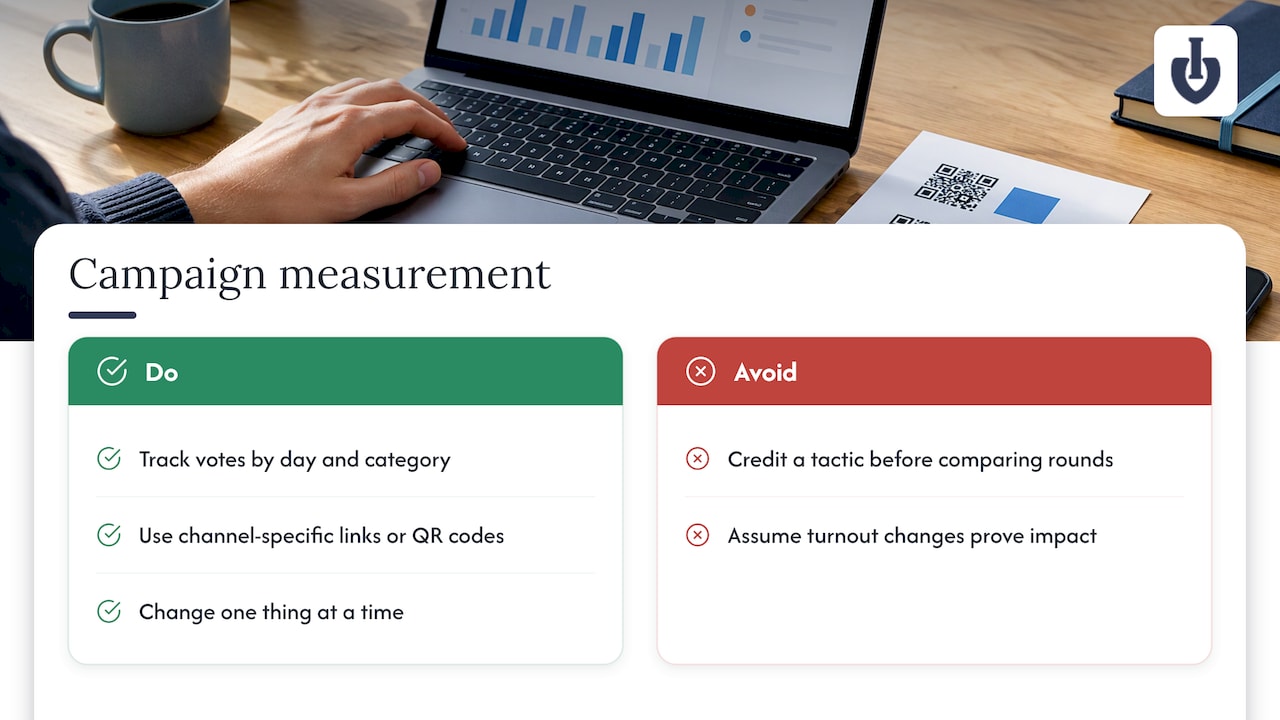
Be careful about conclusions. A randomized experiment on online voter guides found that the tools increased knowledge but showed no statistically different effect on turnout. A World Bank paper notes that comparing overall turnout across elections is hard because other things change between them. The lesson for you: change one thing at a time, such as the subject line or the posting day, and compare to the last round before crediting a tactic.
After the campaign, write down the goal, the result, the best channel and one change for next time.
Where Izivote fits
Izivote is built for public audience awards and people’s choice events. You can create a vote on the free plan, with Pro at $6 per month or $60 per year and Premium at $14 per month or $140 per year. Paid voting carries a 10% platform fee per vote. See the pricing page for what each plan includes, or create a fan award or online vote to see the voting page you would promote.
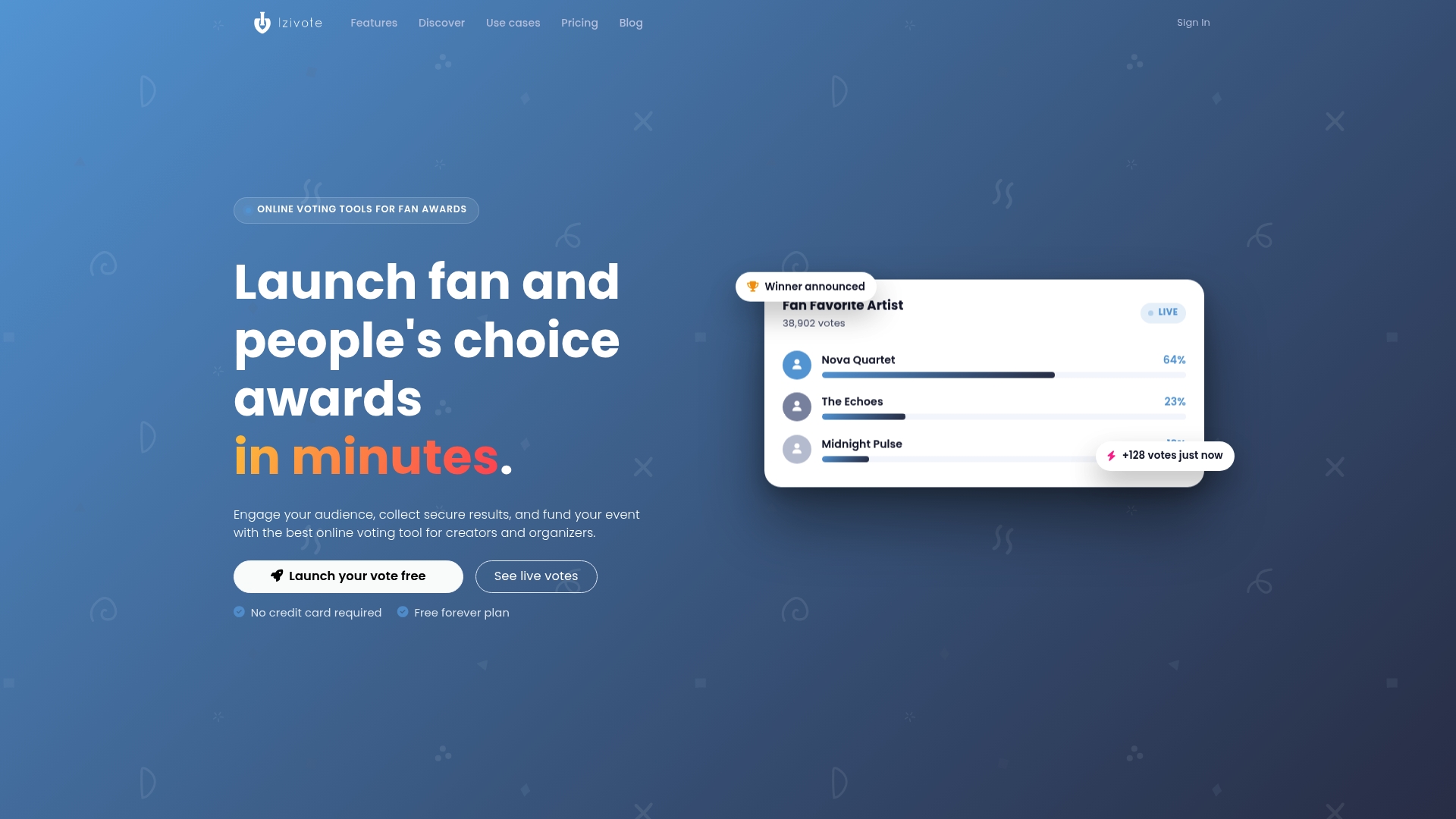
If you run a people’s choice award, you can set up multiple categories, nominee profiles, several voting modes and live results, then spend your time on the channels and messages above.
FAQ
How long should I promote a voting campaign?
Long enough for each channel to be used at least two or three times, and short enough to keep momentum. Plan an announcement, an opening message, a midpoint update and a final countdown. Longer campaigns need more midpoint updates with real news.
How often should I send reminders?
Send the rules at announcement, when voting opens and before it closes, as one source of guidance suggests, and add updates only when you have something new to say. A reminder that repeats the last one tends to be ignored.
What is the best channel to promote an online vote?
It depends on your audience. For fan awards, the nominees’ own social accounts and fan groups usually matter most. For schools, announcements, posters and parent communications work. Use a separate link or QR code for each channel so you can see what worked.
How do I get people to trust the vote?
Publish the rules before voting starts: who can vote, how many votes each person has, the closing time and when winners are announced. Name a contact for questions, and show live results so people can see the process is consistent.
Sources
- What is GOTV? (NAEYC)
- National Council of Nonprofits Voter Engagement Toolkit
- OECD Guidelines for Citizen Participation Processes
- The Webby Awards People’s Voice explainer
- PTA: Promoting Your Program or Event
- Film Prize Junior: Promotion and Outreach
- Audience engagement strategies for business growth
- Kivu Reintegration Centre: Communicating Election Rules
- Speak to all voters: a bilingual design guide
- Creating accessible online information
- A Web Based Voting Application Software Design
- World Bank: Effects of the Internet on Participation
- CISA: Enhancing Election Security Through Public Communications
- Stegmeier Consulting Group: Election Office Communication Strategies
- MIT Election Lab: Prebunking messages and delayed results
- FTC’s Endorsement Guides: What People Are Asking
- Do Online Voter Guides Empower Citizens?
Recommended