


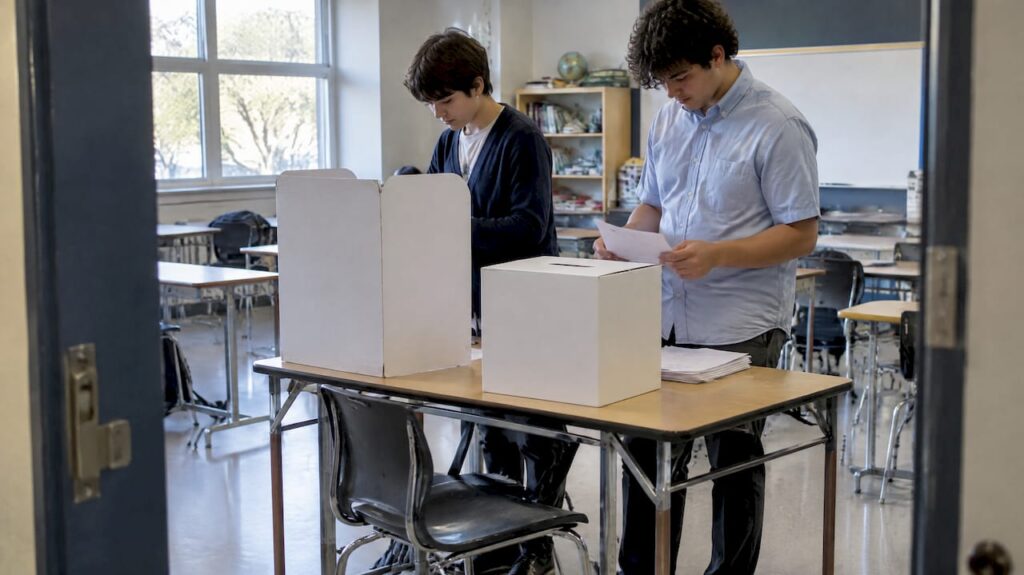
A good school election setup comes down to six decisions: who can vote, who can run, how long the campaign lasts, how students cast a ballot, how votes are counted, and how you show the result was fair. Make those choices before you build anything, then pick the tool (paper box, online ballot or both) that fits them. This guide walks through each decision in order, with a checklist you can adapt for a class, student council, homecoming court or prom vote.
Key takeaways
- Plan for two to four weeks, though a school election can run in as little as one week, according to the Australian Electoral Commission’s school election guidance.
- Decide the rules (voters, candidates, timeline, tie-breaks) in writing before nominations open, and publish them.
- Keep voting private and randomize the order of candidates on the ballot.
- Online voting is fine for low-stakes school contests, but keep a record of results and a way to audit them for several weeks afterward.
- Show the count. Transparency is what makes students accept a result they did not vote for.
Table of Contents
- Start with the rules, not the tool
- Build a realistic timeline
- Choose how students will vote
- Set up the ballot itself
- Protect privacy and prevent double voting
- Run the campaign period fairly
- Count and announce the result
- Where Izivote fits
- A one-page setup checklist
- FAQ
- Sources
Start with the rules, not the tool
Most problems in school elections are not technical. They come from rules that were vague or invented halfway through: a candidate who was not eligible, a tie with no tie-break, a recount nobody knew how to run.
Write a one-page election charter and share it with students, families and candidates before nominations open. It should answer:
- Who votes? Everyone in a grade, the whole school, or one homeroom per ballot.
- Who can run? Official guidance on school governance, such as this UK government document on school governing bodies, suggests that clear, public expectations work better than restrictive eligibility criteria. The goal is to inform voters so they can choose for themselves. If your school requires a GPA or a number of petition signatures, state it up front.
- How many votes does each student get? One vote per office is standard. Say so, and say what happens to a ballot with extra marks.
- What breaks a tie? A runoff, a coin toss witnessed by an adviser, or a vote by the council. Choose before you need it.
- Who is in charge? Name a teacher adviser and a small student election committee. Students who help run the process tend to trust it more.
Build a realistic timeline
The Australian Electoral Commission lists one week as the minimum and two to four weeks as the recommended span for a school election. That is a useful benchmark even in the US, where student council calendars vary. A four-week plan looks like this:
| Week | What happens |
|---|---|
| 1 | Publish the rules, open nominations, recruit the election committee |
| 2 | Close nominations, verify candidates, collect photos and short bios |
| 3 | Campaign period: posters, speeches, Q&A or debate |
| 4 | Voting window, count, announcement |
If you only have a week, compress the campaign, not the verification step. Checking that every name is spelled correctly and every candidate is eligible takes little time and prevents the most embarrassing mistakes.
Choose how students will vote
You have three realistic options. None is wrong. The right one depends on school size, device access and how much is at stake.
| Method | Best for | Watch out for |
|---|---|---|
| Paper ballots and a ballot box | Small schools, younger grades, civics lessons | Staffing, counting time, spoiled ballots |
| Online voting | Larger schools, remote or hybrid students, quick results | Device access, duplicate voting, privacy on shared screens |
| Hybrid | Schools that want both access and a paper trail | More coordination |
If you vote on paper
Election guides for classroom simulations, like the Elections BC activity booklet, recommend about one polling station per 20 to 30 students. Each station has a voting screen facing away from the crowd, a ballot box, a voters list to cross-reference, and two officials: one to issue ballots and one to check names. Schools often set up in a common area such as the library, cafeteria or auditorium.
The Get Voting program also shows how far a physical kit can go, with sealed ballot boxes and posters, which makes the vote feel real to students.
If you vote online
Online ballots remove most of the logistics. Students vote on a phone, tablet or school laptop during a set window, and the count is automatic. That speed is why many schools move online. A study of the student council election at the University of Namibia looked at what an online election system does to turnout and participation, a reminder that convenience can change who takes part.
Two cautions belong here. First, security experts are blunt about high-stakes public elections: the Council on Foreign Relations summarizes that the National Academies, NIST and the FBI regard fully secure internet voting as not yet achievable, and they favor voter-marked paper ballots with audit trails. A student council vote is not a governmental election, but the lesson applies: use verification and keep records. Second, convenience is not the only goal. A user study from TU Darmstadt found that voters will give up some ease of use for a system they know is more secure, so do not assume students want the lowest-friction option at any cost.
A generic form builder is the shortcut many schools try first. It is quick, but it usually lacks voter verification and a clean way to stop repeat votes, and students are good at finding that out. If you go online, choose a tool built for voting.
Hybrid: a good middle path
A hybrid approach lets students vote online during homeroom while a paper option stays available for anyone without a device or who prefers it. It also gives you a fallback if the wifi fails on election day. Researchers who studied an early student union election in Sweden, where internet voting was one of three ways to vote, documented how providing several channels works in practice. Offer more than one and your election covers more students.
Set up the ballot itself
Whether the ballot is paper or digital, three details matter most.
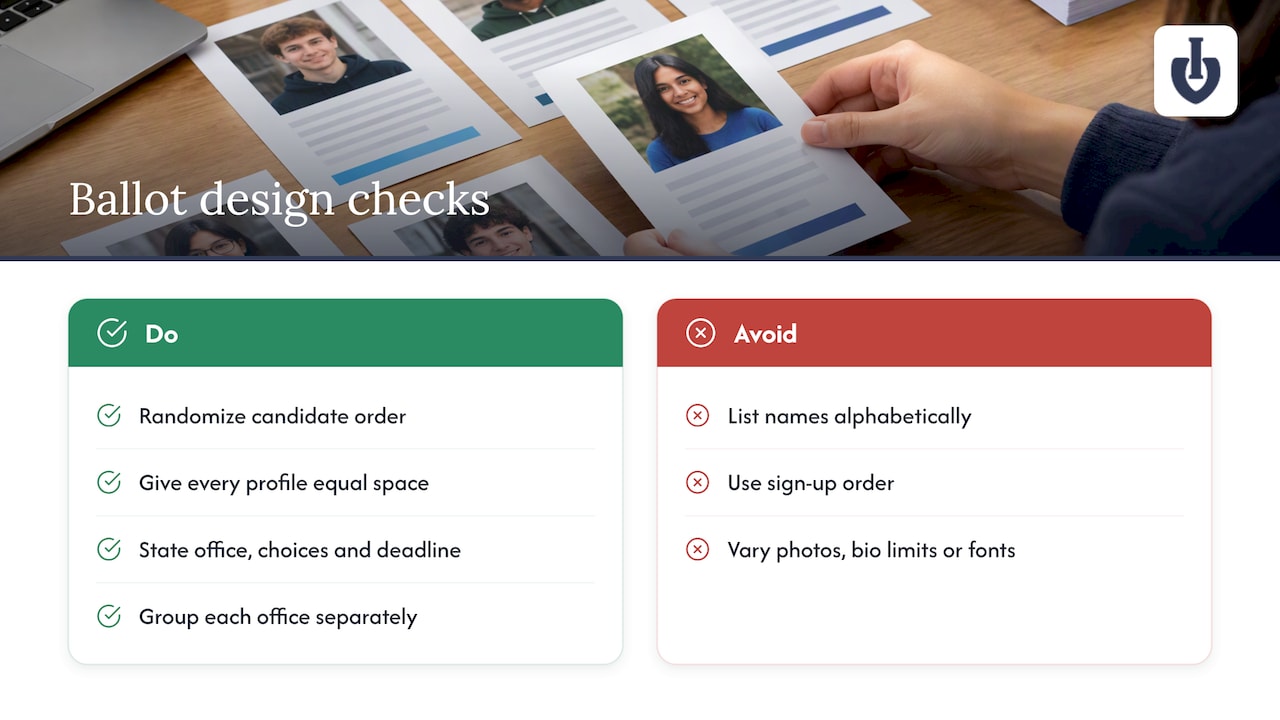
Randomize the order of names. It is tempting to list candidates alphabetically or by sign-up time. The AEC’s Get Voting FAQ treats random ordering as a vital practice, because it prevents “donkey voting,” where voters just pick the first name. On paper, draw names from a hat to set the order. Online, use a tool that shuffles automatically.
Give every candidate the same space. Same photo size, same word limit for the bio, same font. Visual profiles help students put a face to a name, but only if every profile looks alike.
Keep the ballot short and clear. List the office, the number of choices allowed and the deadline. If you are voting on several offices (president, vice president, treasurer), group each office as its own category so nobody votes for the wrong one by accident.
Protect privacy and prevent double voting
Privacy is the part schools underestimate. Research on classroom voting from the International Society of the Learning Sciences repository found that students who vote publicly are less likely to change their views and more likely to follow the class majority. In a popularity-driven election, that pressure is real. Even a casual vote should happen behind a screen, or on a device nobody else can see.
Practical steps:
- On paper, use a voting screen or a corner of the room facing the wall.
- Online, tell students to vote on their own device, not on a friend’s screen.
- Never display who voted for whom, even to the adviser, unless the rules say so.
To prevent repeat voting, tie each vote to something checkable. On paper, that is a voters list that officials mark off. Online, it is a login, a unique code, or an identity-based voting mode. Izivote’s voting types guide explains the open, login and identity-based options, so you can match the strictness to the stakes. An open link might be fine for choosing the school mascot. A class president race deserves a verified method.
If your school already runs online registrations for clubs and extracurriculars, the same thinking applies: collect only what you need and check each participant once. This practical guide to digitizing after-school activity sign-ups (in Spanish) shows how one school-focused tool handles participant control and family communication, and the habits carry over to voter lists.
Run the campaign period fairly
A fair vote needs informed voters. The same guidance that discourages tight eligibility rules says the point of the process is to inform the electorate. Build that in:
- A short speech day or recorded video for each candidate, with the same time limit.
- A Q&A or debate moderated by an adviser.
- A simple campaign rulebook: where posters can go, what can be spent, and a ban on negative claims about other students.
- Candidate profiles on the voting page, so students see the same information when they vote.
Count and announce the result
The Western Australian Electoral Commission’s guide to student elections emphasizes transparency as the foundation of legitimacy. Their recommended habits include formal counting procedures, independent observers and a recap of the results that builds students’ trust. Here is a version that fits any school:
- Close the voting at the announced time. Automatic closing in an online tool removes the temptation to extend it for a friend.
- Count in front of witnesses. For paper, invite two students and one adult who is not the adviser. For online, have the committee review the results dashboard together.
- Check totals against the voters list. The number of ballots should not exceed the number of eligible voters who signed in.
- Announce winners with vote counts, or at least percentages, at a school assembly or on the morning announcements.
- Explain the process in a short recap, especially if the margin was narrow.
Keep your records
Experienced organizers recommend keeping paper ballots or logs for several weeks after the vote. The Umeå student union case study notes that improvised fixes to technical problems can increase dependence on the provider and add risk. Export the final results from your online tool, save them with your election charter, and keep any paper ballots sealed until the challenge window has closed.
Where Izivote fits
If you want to run the online part without building it yourself, our student elections page shows how schools set up a vote. You create categories for each office, add candidates with photos and profiles, choose a voting mode (open, login or identity-based), and watch live results on a dashboard. Voting can close automatically at the time you set, and you can embed the voting page on your school’s own website.
There is a free plan for small elections. Paid plans are Pro at $6 per month or $60 per year, and Premium at $14 per month or $140 per year, and the full details are on our pricing page. The 10% platform fee only applies to paid voting, which most school elections never use. When you are ready, you can create your vote in a few minutes and run a test ballot with your election committee first.

A one-page setup checklist
Four weeks out
- Write and publish the election charter
- Name the adviser and the student committee
- Open nominations
Two weeks out
- Verify candidates and collect photos and bios
- Build the ballot, randomize the order, and test it
- Decide the voting method and book the room or devices
Voting week
- Confirm the voters list or login method
- Set up private voting spaces
- Brief poll officials or the committee
After the vote
- Count with witnesses and compare totals to the voters list
- Announce the results and the process
- Archive results and keep any paper ballots for several weeks
FAQ
How long does it take to set up a school election?
Plan for two to four weeks if you can. The AEC’s school guidance lists one week as the minimum. The ballot itself takes under an hour to build in an online tool, but nominations, verification and campaigning are what need the time.
Is online voting secure enough for student council?
For a school contest, yes, if you use verified voting and keep a record of results. Security authorities say fully secure internet voting is not yet achievable for high-stakes government elections, so do not treat a school tool as a substitute for those. Match the verification level to the stakes and archive your results.
Can I run a school election with a free tool?
Yes. A free plan can cover a small election, such as a single class or club. Check the plan limits before the vote, and test the ballot with your committee. Larger elections with several offices may need a paid plan.
Should candidates be listed alphabetically?
It is better to randomize. Official guidance warns that fixed order gives an advantage to the first names listed. Draw names from a hat for paper ballots, or use a tool that shuffles the order for each voter.
Sources
- Get Voting: school elections made easy (AEC)
- Get Voting FAQ (AEC)
- Democracy in a Box activity booklet (Elections BC)
- Does our vote count? The safest way to hold an election (Council on Foreign Relations)
- Student elections guide for schools (Western Australian Electoral Commission)
- The constitution of governing bodies of maintained schools (UK Department for Education)
- Nothing Comes for Free: How Much Usability Can You Sacrifice for Security? (TU Darmstadt)
- Internet Voting in Practice: The Case of the Umeå Student Union
- Making your views known: anonymity before and after classroom debates (ISLS)
- Impact of Online Election System on Voter Turnout, University of Namibia
Recommended