


Setting up pageant voting comes down to six decisions: who votes, how votes are counted, whether votes are free or paid, how voters prove they are real, how contestants appear, and when voting opens and closes. Make those choices first, then build the voting page, test it, and publish. With a self-serve platform like Izivote, the build itself can be quick. The planning is what protects your pageant’s reputation.
This guide walks through the whole setup in the order you will do it, with checklists you can copy into your own planning document.
Key Takeaways
- Decide the scoring model before you touch any software: public vote only, judges only, or a weighted blend of both.
- Choose a voting mode that matches your risk. Open voting is easiest, while login-based or identity-based voting makes duplicate votes harder.
- If you allow paid votes, publish the price per vote, the fee, where the money goes and the closing time before voting opens.
- Test on a private run with real phones, then announce the rules and schedule to contestants in writing.
- On Izivote you can start free, and paid voting carries a 10% platform fee per vote.
Table of Contents
- Start With the Scoring Model
- Plan Categories and Contestant Profiles
- Pick the Right Voting Mode
- Free Votes or Paid Votes
- Step-by-Step Pageant Voting Setup
- Branding and Embedding
- Running Voting Live and Showing Results
- Security and Fairness
- Test Before You Open Voting
- Communicate With Contestants and Voters
- Start Your Pageant Vote With Izivote
- FAQ
- Sources
Start With the Scoring Model
Before you create anything online, answer one question: what decides the winner? Pageants usually land on one of three models.
| Model | Who decides | Best for | Watch out for |
|---|---|---|---|
| Public vote only | Fans and audience | Fan favorite, People’s Choice, Miss Popularity titles | Contestants with bigger social followings can dominate |
| Judges only | A scoring panel | Formal titles with interviews and talent rounds | Little audience involvement |
| Blend | Judges plus public | Main crowns that need credibility and buzz | Needs a clear, published formula |
Izivote is built for public audience awards, so it is the right tool for the public side of any of these models. A common and clean approach is to run the public vote online as its own award, such as Audience Favorite, and keep the judges’ scoring on your own scoresheets. If you want a blend, announce the formula in advance, for example the share of the final result that comes from the public and the share from the panel. Contestants accept results more easily when the math was visible from day one.
If your pageant already has a main crown decided by judges, a separate public award is often the simplest first step. It adds excitement without changing the way your core title is decided.
Plan Categories and Contestant Profiles
Categories drive how people vote, so plan them on paper first.
Choose your categories
Typical pageant categories include:
- Audience Favorite or People’s Choice
- Best Talent
- Best Evening Wear
- Most Photogenic
- Best Community Impact
- Rising Star (for juniors or first-timers)
Keep the list short. Every extra category splits attention and multiplies the questions you will answer from contestants. Three to five categories is plenty for most local pageants. Izivote supports multi-category voting, so voters can move through your categories in one visit rather than returning several times.
Gather contestant materials
Voters pick faces and stories, so collect assets from every contestant before you build:
- A clear, well-lit headshot in a consistent crop. Square or portrait photos work best on mobile screens.
- A short bio of 40 to 80 words.
- Contestant number or sash name, spelled exactly as it will appear on stage.
- Optional: one social link and a sponsor or cause they represent.
- Written permission to publish the photo and details online. For contestants under 18, get this from a parent or guardian.
Izivote supports nominee photos and profiles, and also self-nomination, which lets contestants submit their own entries. Self-nomination is useful when you have an open call. If you want full control of the field, enter the contestants yourself instead.
Give every contestant the same amount of information. A page where one contestant has a paragraph and a video while another has a single line looks unfair, even if nobody meant it.
Pick the Right Voting Mode
The mode is the rule for who may vote and how often. Izivote offers open, paid, login-based and identity-based voting. The voting types and voter identity guide explains each in detail. Here is how to think about the choice for a pageant.
| Mode | How it works in practice | Good fit |
|---|---|---|
| Open | Anyone with the link can vote | Small community pageants, low stakes |
| Login-based | Voters sign in before voting | Mid-size pageants that want fewer duplicate votes |
| Identity-based | Voters are tied to a verified identity | Pageants with prizes, scholarships or sponsors on the line |
| Paid | Voters buy votes | Fundraising pageants and fan-driven titles |
A useful rule: the more the title is worth, the more identity you should require. A school spirit pageant can run open. A pageant with a scholarship or a cash prize should use login or identity-based voting. You can read how login-based voting works and how to set it up before deciding.
Free Votes or Paid Votes
Many pageants use voting to raise money, and that is a legitimate goal when it is done openly. The question is which approach fits your event.
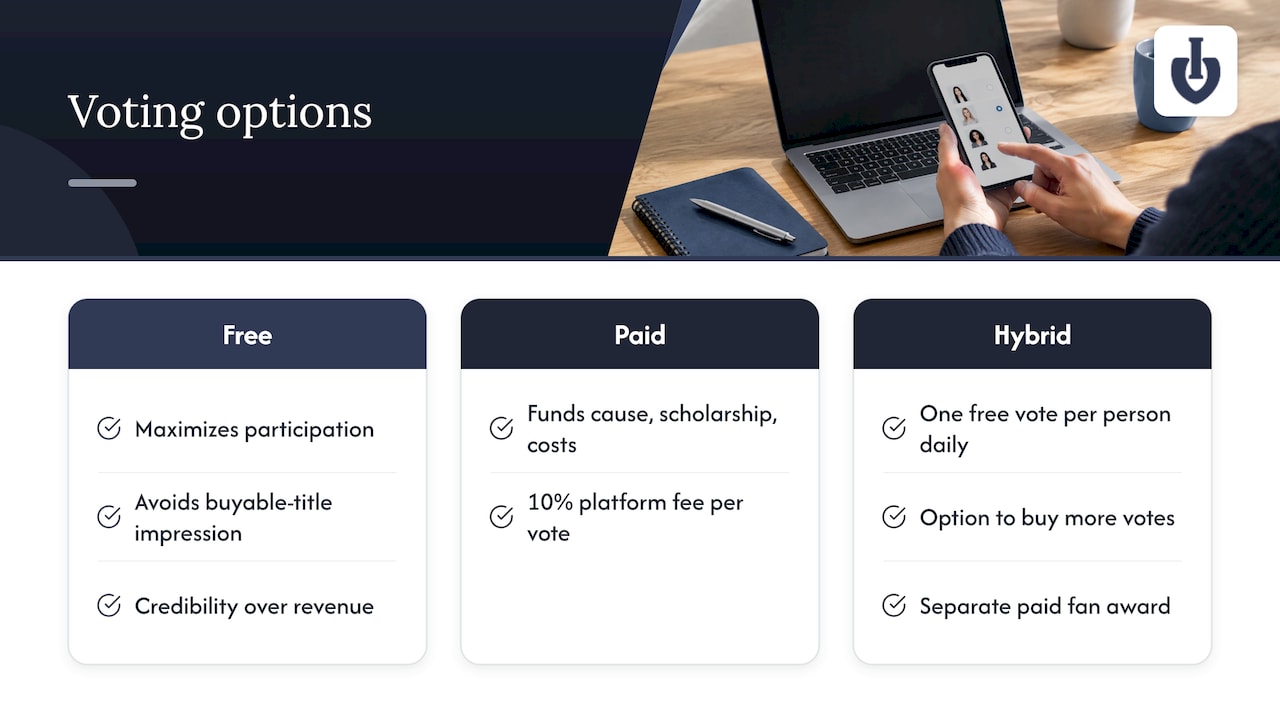
Free voting maximizes participation and avoids any impression that a title can be bought. It suits titles where credibility matters more than revenue.
Paid voting turns audience enthusiasm into funds for your cause, scholarship pool or production costs. On Izivote, paid voting is handled through the platform, with a 10% platform fee per vote. Our guides on open versus paid voting and on how fees, sponsors and fairness fit together go deeper on the trade-offs.
A hybrid works well for many pageants: one free vote per person per day, plus the option to buy more. Another is to keep the main crown free and make a separate fan award paid.
What to disclose before voting opens
If any votes are paid, put these in writing on the voting page and in your announcements:
- The price of a vote or vote bundle
- What the money funds, and who receives it
- Whether paid votes count toward the main title or only a fan award
- The platform fee applied to each paid vote
- The exact opening and closing time, with time zone
- How ties are broken
- Refund policy, if any
Paid voting and prize contests can be regulated differently depending on where you are and who benefits, so check with your attorney or your local regulator before you launch a fundraising pageant. Do that before announcing, not after.
Step-by-Step Pageant Voting Setup
Here is the build sequence on Izivote. The create a vote page starts the process and you can begin on the free plan.
- Create your account and a new vote. Give it a clear name, such as the pageant name and year.
- Add categories. Enter the categories you planned. Put the headline award first.
- Add contestants. Upload each headshot, name and bio. Use the same photo crop for everyone.
- Select the voting mode. Choose open, paid, login-based or identity-based voting for each the way you planned above.
- Set prices if paid. Enter your vote price and check how the 10% platform fee applies to your totals.
- Set the schedule. Pick start and close times. Automatic vote closing means the voting ends exactly when you said it would, with no one needing to log in at midnight.
- Brand the page. Add your logo, title and a short description with the rules.
- Preview on a phone. Most votes will come from mobile devices.
- Publish and share the link.
For the people’s choice side, see the people’s choice voting tools, and for broader contest formats see online voting for awards and competitions.
Branding and Embedding
Your voting page should feel like part of the pageant, not a detour. Use the pageant’s logo, colors and wording. Write the page description in the same tone as your social posts.
If you already have a pageant website, you can embed the voting page there so fans vote without leaving your site. That keeps traffic, sponsor logos and your story in one place. If you do not have a site, share the voting link directly on social media, in email and on printed programs or posters.
Create a short, memorable message for contestants to share, such as “Vote for me in the Audience Favorite award.” Contestants who promote themselves drive most of the traffic, so make it easy for them.
Running Voting Live and Showing Results
Pageants have two rhythms: weeks of online voting before the show, and a live moment when the winner is revealed. Plan both.
Before the show
Decide whether the public can see the live standings. Izivote offers real-time results, and public results add excitement and transparency. The tradeoff is that visible leaderboards can encourage a late rush or discourage contestants who are far behind. Some organizers show results throughout, while others hide totals until the final days. Either approach is fine if you say which one you will use in advance.
As the organizer, use the dashboard to monitor activity. The guide on real-time vote monitoring shows what to watch for, such as sudden spikes at odd hours.
During the live show
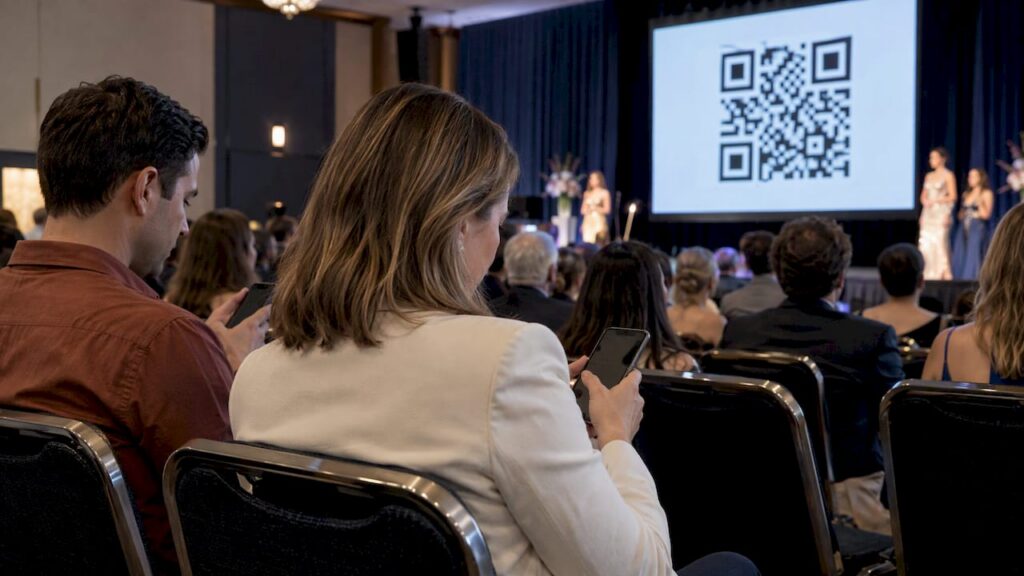
For a live event, you can show the voting page on a screen and invite the audience to vote from their phones with a QR code. Our live event voting use case covers that format. Close voting at a set moment during the program, announce it from the stage, and let automatic closing lock the count.
If you blend public votes with judges’ scores, have a person you trust combine the numbers using the published formula, and announce the public results first or last in a consistent way.
Promoting the vote
Voting only works if people show up. Think about who your contestants’ audiences are, and aim promotion at them: families, school communities, local businesses and sponsors. A primer on audience targeting basics can help you shape the messages. Give each contestant the same promo kit, including the link, the closing time and a short caption.
Security and Fairness
The biggest threat to a pageant’s reputation is a result people do not believe. Plan for duplicate votes, bots and ballot stuffing from the start.
A well-documented example from a large TV talent show shows the principles. In that case study of a cloud-based voting platform, voting required an authenticated user, each session received a short-lived token, all calls ran over HTTPS, and tokens could be revoked if abuse was detected. Contestant videos were also shown in random order so each hopeful received an even share of exposure.
You can borrow those ideas at pageant scale:
- Require sign-in or identity for any title with real stakes. Our guide to preventing duplicate votes in online contests explains the options.
- Make order fair. If your page lists contestants, avoid always putting the same person first.
- Watch the dashboard for unusual surges, and set a rule in your terms that suspicious votes may be reviewed.
- Keep a record of how you handled any disputes, so your decisions are consistent.
Say in your rules that the organizer’s decision on irregular votes is final. Contestants need to know this before voting starts.
Test Before You Open Voting
A private test run catches most problems. Do it at least a few days before launch.
- Vote from three devices: an iPhone, an Android phone and a laptop.
- Try each voting path: open, sign-in and paid, whichever you will use.
- Check every contestant card. Photos, spelling, number and bio.
- Make a test payment if you use paid votes, and confirm the amount matches the price you announced.
- Confirm the schedule and time zone. Check that the closing time displays correctly.
- Ask two people outside the pageant to find the page and vote without help. If they stumble, simplify the wording.
- Check the results view so you know what the public will see.
Once you are happy, clear out any test data before going public.
Communicate With Contestants and Voters
Send contestants a short written note before the public launch. Include:
- The voting link and the opening and closing times
- Whether voting is free or paid, and the vote price if paid
- How the winner will be decided, including any judge blend
- What contestants may and may not do to get votes (for example, no fake accounts, no offering gifts for votes)
- Who to contact with problems
For voters, put a plain rules summary directly on the voting page. Three or four lines is enough. Repeat the closing time in every post you publish.
After voting closes, announce results quickly and thank all contestants. A prompt, well-explained result calms disputes before they begin.
Start Your Pageant Vote With Izivote
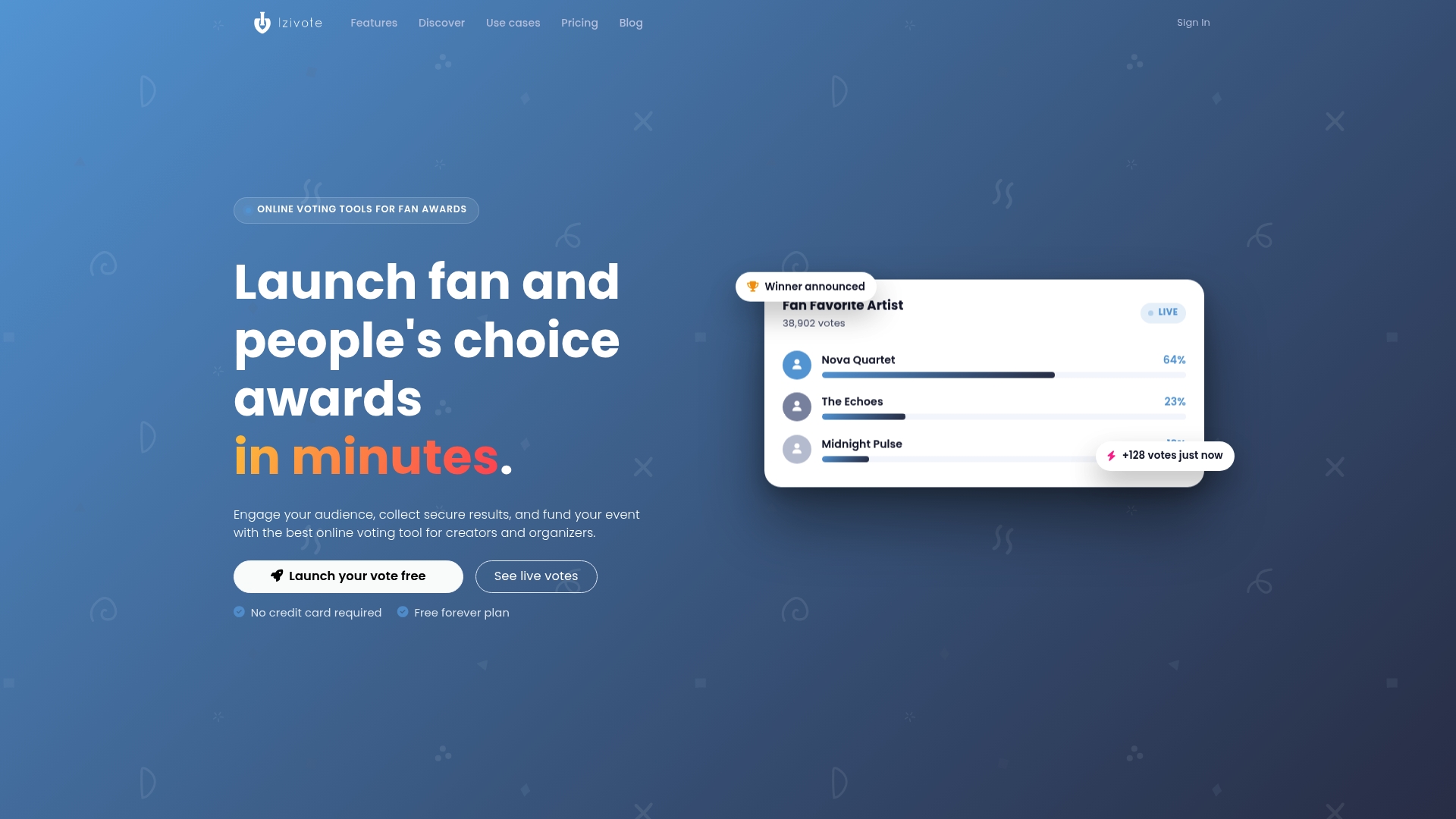
Izivote is an online voting platform made for fan and people’s choice awards, with multiple voting modes, nominee profiles, live results and a dashboard for organizers. You can start on the Free plan. Pro costs $6 per month or $60 per year, and Premium costs $14 per month or $140 per year. Paid voting carries a 10% platform fee per vote. See the full plan details to compare.
Ready to build? Create your pageant vote and have a draft page ready to preview today.
FAQ
How long does pageant voting setup take?
The build can be quick once your photos, bios and rules are ready. Gathering contestant materials usually takes longer than the software. Plan a few days for a private test before you go public.
Should I let the public vote, or only judges?
It depends on the title. A public vote suits fan favorite and People’s Choice awards, while judges suit formal crowns. Many pageants run both, with a published formula or a separate public award.
Can I raise money with pageant votes?
Yes, with paid voting. On Izivote, paid votes carry a 10% platform fee. Disclose the price, the cause and the closing time up front, and check local rules with your attorney before launching.
How do I stop one person from voting many times?
Choose login-based or identity-based voting for any pageant with real prizes, and monitor the dashboard for unusual spikes. State in your rules that irregular votes may be reviewed.
Sources
- High-performance, cloud-based voting platform, Secret Orange
- Audience targeting explained: boost digital marketing results
Recommended