


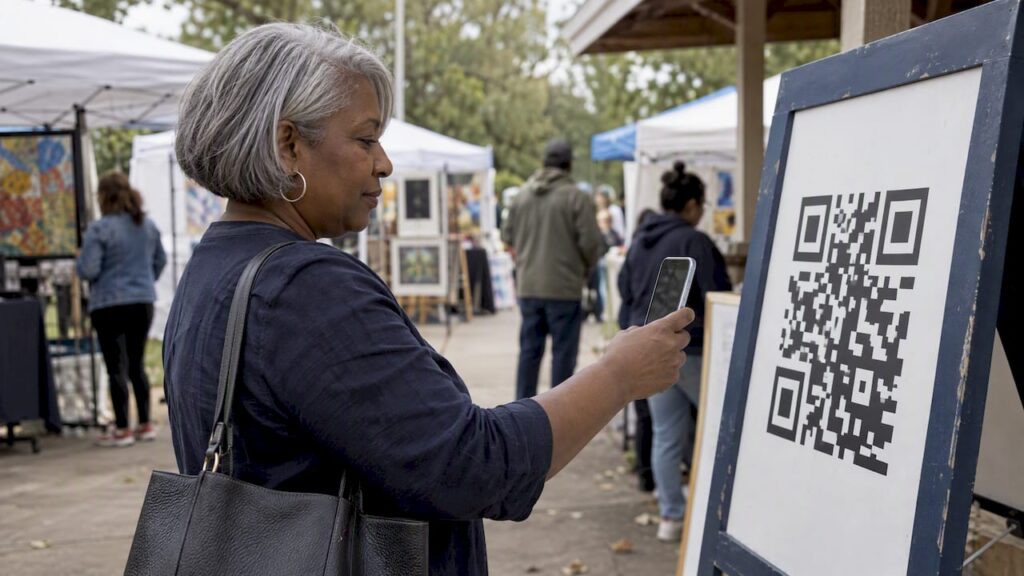
A QR code for voting is a printed or on-screen square that sends people to an online ballot when they point a phone camera at it. For a people’s choice award, a conference, a school election or a pageant, that is the whole trick: the code is the doorway, and the online voting page does the real work of counting, limiting and securing votes. The code itself never holds a vote.
That last point matters because “QR codes and voting” also describes something quite different: the barcodes printed on official election ballots in the United States. This guide covers both briefly, then spends most of its time on what organizers of awards and contests need: setup, placement, fraud controls, accessibility and the mistakes that cost votes.
Key takeaways
- A QR code is only a shortcut to a web address. The security, vote limits and results all live on the voting page behind it.
- Use one code per voting page, print it large with plenty of blank space around it, and test it on both iPhone and Android before it goes to print.
- Fraud control comes from the voting mode you choose (open, login, identity-based or paid), not from the code. Match the mode to the stakes.
- Official ballot QR codes are a different technology with different risks. Do not borrow their rules for a fan award, and do not use fan-award tools for a binding public election.
- Plain language, one task per screen and good contrast make the difference between a scan and a completed vote.
Table of Contents
- What QR code voting actually means
- How voters cast a vote with a scan
- Setting up a QR code that leads to an online vote
- Where to place codes so people actually scan
- Preventing duplicate and fraudulent votes
- Making QR voting accessible
- When QR voting is the wrong tool
- Common mistakes that cost votes
- Running it with Izivote
- FAQ
- Sources
What QR code voting actually means
In an event or award setting, QR code voting means a scan opens a web page where the voter picks a nominee. The organizer prints the code on a poster, a program, a table tent, a stage screen or a social graphic. The voter’s phone does the rest.
The Institute for Electoral Systems’ description is a good plain definition: a QR code is an image that encodes text, usually a URL, which a phone or computer camera can read. It also notes that codes can be made with free applications and printed or embedded in documents. Nothing about that is specific to voting. The same square could open a menu or a map.
How this differs from QR codes on official ballots
Official paper ballots in the US often carry QR codes or barcodes too, but for a different job. Verified Voting explains that codes in a ballot’s margin may identify the election, precinct, ballot style or page, rather than hold the voter’s choices. Some ballot-marking devices, though, print a QR code that encodes the selections next to the human-readable text, and the scanner may tabulate the encoded portion.
Los Angeles County’s VSAP fact sheet describes how one jurisdiction handles this: the paper ballot remains the durable, auditable record, the QR data is digitally signed, and the tally system accepts it only after the signature checks out. Its error-correction checksum is designed so that a bad read fails instead of quietly changing data.
The risk is real enough to be debated. The Center for Democracy and Technology points out that when a ballot encodes selections in both text and a QR code, a compromised device could alter the encoded vote while leaving the readable text unchanged, which is hard for a voter to spot.
The two uses compare like this:
| QR code on an official ballot | QR code on a contest or award | |
|---|---|---|
| What the code holds | Ballot style, precinct, sometimes selections | A web address |
| Where the vote is recorded | Paper ballot, tallied by certified equipment | An online voting platform |
| Who runs it | Election officials under law | An organizer, nonprofit, school or business |
| Main risk | Encoded data differing from the printed text | Duplicate or automated votes |
If you are running a fan award, a student council vote, a pageant or an employee poll, you are in the right-hand column. The rest of this article is about that.
How voters cast a vote with a scan
The voter’s path should be short enough to finish while standing in a hallway. ArtPrize’s public voting page shows a familiar pattern for a large public contest: open the phone camera, scan the entry’s code, tap the link preview, sign in or create an account, then vote. The page also gives a web address as an alternative, so people without a working camera are not locked out.
That is worth copying. Every scan-to-vote flow should have:
- A visible short web address printed near the code, for people who cannot or will not scan.
- A clear one-line instruction such as “Scan to vote for your favorite,” so people know what the square does.
- A landing page that loads fast on mobile data, since many voters will be in a venue with weak Wi-Fi.
- An obvious confirmation after the vote is cast.
No app should be required. Anything that makes a voter install software before voting will cut participation sharply.
Setting up a QR code that leads to an online vote
The order matters: build the vote first, then make the code. A code printed before the page is final is the most common reason organizers reprint.
Step 1: Build the voting page
Create the vote with your categories, nominees, photos and descriptions, and decide how voters will be allowed to vote. On Izivote you can create a fan award or online vote for free, set up multiple categories, add nominee profiles with photos, and choose among open, paid, login-based or identity-based voting. You can also set the vote to close automatically, so a code on a poster does not keep sending people to a finished contest with no explanation.
For a walkthrough of the build itself, the people’s choice voting setup guide covers the steps in order.
Step 2: Copy the public voting link
Each vote has its own public address. The published examples on the site, such as the classicvote results and nominees page, show the kind of link voters land on. Copy yours and open it in a private browser window to see exactly what a first-time voter sees.
Step 3: Generate the code
Paste the link into any QR code generator. Download a vector format (SVG or EPS) or a high-resolution PNG so the code stays sharp when you enlarge it for a banner. Save the file somewhere your whole team can reach.
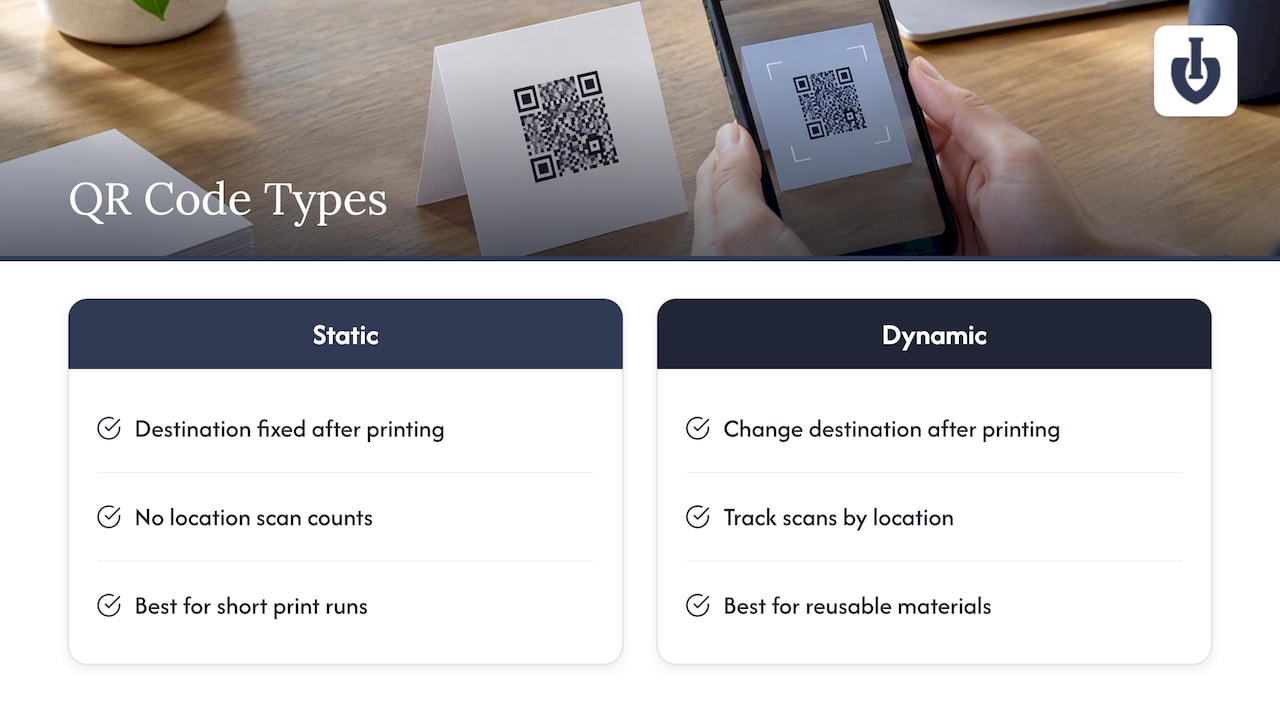
One decision here is worth a minute: a static code bakes the address into the pattern permanently, while a dynamic code points to a redirect you control. Guides from QR printing and tracking providers, such as this poster guide, generally favor dynamic codes for materials that outlive a single event, because you can change the destination after printing and see scan counts per location. If you will reuse a poster year after year, a dynamic code is the safer choice. If the voting link is final and the print run is short, static is fine.
Step 4: Size it for the viewing distance
A common rule of thumb is the 10:1 rule: the code’s width should be at least one-tenth of the distance from which people will scan it, as this sizing guide explains. A code scanned from 10 inches away can be about an inch wide. A poster read from 6 feet needs a code several inches across. Stage screens and banners need far more.
Keep dark code on a light background, leave an empty border around the pattern, and skip decorative logos and gradients that reduce contrast unless you have tested them.
Step 5: Test before you print
Before the print order goes out:
- Scan the proof with at least one iPhone and one Android phone.
- Scan from the real viewing distance, not from your desk.
- Test on mobile data as well as Wi-Fi.
- Try it in the lighting of the venue, since glare on glossy paper defeats many cameras.
- Complete a full test vote, then confirm it appears on your dashboard.
Where to place codes so people actually scan
Placement is half the result. A code nobody sees collects zero votes, and a code in an awkward spot collects few.
- Event programs and table tents: people have time to scan while seated. Pair the code with the category names.
- Stage and venue screens: good for live moments, but show the code for long enough, and make it big. A flash of five seconds is not enough for a room of people to find their phones.
- Posters in high-footfall places: put them at eye level, away from glare, near where people wait.
- Social posts and newsletters: on a phone, nobody can scan their own screen, so use a tappable link there instead and keep the QR code for physical spaces.
- Nominee-specific flyers: nominees often promote themselves. Giving each a printed code that links to the same vote (or to their own profile within it) turns them into your best distribution channel. Self-nomination and visual nominee profiles make this easier.
For live shows and conferences, the live event voting use case shows how audience polls are typically run in the room, and the awards and competitions page covers longer, public contests.
Preventing duplicate and fraudulent votes
A QR code makes voting easier, and easier voting invites abuse. One person can scan a code a hundred times. The code cannot stop that; the voting mode can.
| Voting mode | Best for | Trade-off |
|---|---|---|
| Open | Casual polls, low stakes, maximum reach | Easiest to game |
| Login-based | Fan awards where you want one account per voter | A little more friction at the start |
| Identity-based | Student, member or staff votes where only certain people may vote | Requires you to define who is eligible |
| Paid | Fundraising awards where extra votes are purchased | Money creates incentive to cheat, so transparency matters |
Izivote supports all four. For a fan award where the ranking drives sponsorship or prestige, start with login-based voting. For a school or association, use identity-based voting so only eligible people can cast a ballot. Use the real-time dashboard during the contest to spot suspicious spikes, such as a nominee jumping several hundred votes in minutes from a single source.
Privacy sits next to fraud. Canada’s National Standard of Online Voting is written for municipal elections, not fan contests, but its principles transfer well: protect secrecy, avoid linking stored votes to identifiable voters, encrypt data in transit and at rest, and give the voter a cast confirmation without enabling proof of how they voted. Ask any platform you consider how it handles each point, and tell your voters in one plain sentence what you collect and why.
If your contest includes paid votes, say clearly on the voting page how they work and what the fee structure is. The guide on monetizing fan voting, sponsors and fairness goes through how to keep paid voting transparent.
Making QR voting accessible
A QR code is a barrier for some people before the vote even starts. Not everyone has a smartphone, a steady hand, or good vision. Accessibility is not a bonus step.
Even though a contest is not an election, the standards used for elections are a useful yardstick. The U.S. Election Assistance Commission’s voting system guidelines call for voters to be able to verify and correct their selections privately and independently before casting, with equal access for all, including alternative-language access where required. The Canadian standard recommends interfaces that work across devices and screen sizes, support keyboard and assistive technologies, use plain and consistent prompts, and are tested for usability and accessibility.
A 2026 academic prototype for low-stakes elections such as student councils, Decidos, applies this in practice: plain language, one step per screen, responsive layouts, semantic markup, screen-reader compatibility and high-contrast colors. For a broader grounding, this overview of web accessibility guidance explains how accessible design supports both inclusion and discoverability.
A practical checklist for organizers:
- Always print a web address beside the code, and make it short.
- Offer a non-phone route at the venue: a tablet at a help desk, or a volunteer who can enter a vote with the voter.
- Check contrast and font size on the voting page on a small phone screen.
- Write in plain language. “Choose one nominee, then tap Vote” beats a paragraph of rules.
- Test with a screen reader or ask someone who uses one to try your page.
- Translate the voting page when your audience speaks more than one language.
- Describe the code in a caption such as “QR code: scan to vote for Best Local Café” so people using assistive tools know what it is.
The Carter Center’s handbook on observing electronic voting specifically names the need to protect participation by people with disabilities and people who are illiterate. A code-only flow without an alternative can exclude exactly those people.
When QR voting is the wrong tool
Being honest about limits saves you trouble.
- Binding public elections. Government elections have legal requirements for eligibility, secrecy, auditability and certified equipment. A fan-award platform is not designed for them, and a QR code does not change that.
- Contests where you cannot define who may vote. If nobody can say who is eligible, no tool will make the result credible. Decide whether the vote is open to the public or limited to a known group first.
- Audiences without phones. Some audiences, such as older groups or certain venues, will need paper or assisted voting alongside the code.
- Places with no signal. A QR code needs a connection. In a basement venue, add Wi-Fi or a different method.
Common mistakes that cost votes
- Printing before testing. Always scan the proof.
- A code that is too small for the distance.
- One code for everything. If you run separate contests, give each its own code and label so voters land in the right place.
- No closing message. Set automatic closing so late scanners see a clear end rather than a broken experience.
- Forgetting to tell voters what happens next. Say when and where results will be published.
- Hiding the code in a corner. If the code is the main call to action, treat it as one.
Running it with Izivote
Izivote is built for public audience awards: you can launch quickly from the browser, add categories and nominee profiles with photos, choose open, paid, login or identity-based voting, embed the voting page on your own site, and watch results on a live dashboard. Your QR code simply points at the public vote link. Votes have been cast across 500+ events in 20+ countries.
The published plans on the pricing page are Free, Pro at $6 per month or $60 per year, and Premium at $14 per month or $140 per year. If you run paid voting, a platform fee of 10% per vote applies. You can start with the free option for a small event and move up if the contest grows.

For specific contexts, see the pages for people’s choice awards and student elections and schools, or look at the feature list. When you are ready, create your vote and generate the code from its link.
FAQ
Can a QR code itself store a vote?
In a contest or award, no. The code stores a web address, and the vote is recorded on the voting page after the person chooses a nominee. Some official ballots do encode selections in a code, but that is a separate system with its own safeguards.
Do voters need to install an app?
No. Modern phone cameras read QR codes directly, and the link opens in the browser. Print a short web address next to the code so anyone whose camera does not recognize it can type the address instead.
How do I stop one person from voting many times?
Choose a voting mode that limits it. Login-based voting ties votes to accounts, and identity-based voting restricts voting to eligible people. Watch the live dashboard for unusual spikes, and decide in advance how you will handle suspicious votes.
Should I use a static or dynamic QR code?
Use static if the voting link is final and the print run is short. Use dynamic if the material will be reused or the destination might change, since you can redirect it after printing and see scan counts.
Sources
- Decoding your ballot: The role of QR codes and barcodes, Verified Voting
- VSAP ballot and QR codes, Los Angeles County
- Using QR codes and related tech, IFES
- Voting, ArtPrize
- Do ballot barcodes threaten election security?, CDT
- National Standard of Online Voting
- Voluntary Voting System Guidelines 1.1, U.S. Election Assistance Commission
- Decidos: Accessible, Usable and Secure Voting in Low-stakes Elections
- The Carter Center Handbook on Observing Electronic Voting
- Web accessibility guidance
- QR codes on posters: design, size and tracking guide
Recommended