



Login-based voting means a person has to sign in, with an email, a username and password, a school or company account, or a code you send them, before they can cast a ballot. The login is what lets you check eligibility, allow one vote per person and keep a record you can audit. This guide explains how a login-to-vote system works, which login methods suit which events, and how to set one up without making voting a chore.
Key Takeaways
- A login-based system verifies who is voting first, then records the vote. That is how organizers enforce one ballot per eligible person.
- The login method should match the stakes: a verified email suits a community contest, while a school or company account suits a formal election.
- Identity and ballot can be kept separate. Well-designed systems confirm who you are, then store the vote without linking it back to you.
- Most risks come from stolen credentials, compromised devices and weak servers. Strong authentication, encryption and monitoring reduce them.
- Pick the lightest login that still protects your results, because every extra step costs you voters.
Table of Contents
- What login-based voting is
- How a login-to-vote system works
- Choosing a login method
- How the system verifies eligibility and blocks repeat votes
- Keeping identity and ballot separate
- Security risks and how to reduce them
- Setting up login-based voting step by step
- Making login easy for voters
- Running login-based voting with Izivote
- FAQ
- Sources
What login-based voting is
In an open poll, anyone with the link can click a choice, and the same person can click again and again. In a login-based vote, the voter first proves they are someone the system recognizes. Only then does the ballot open.
That proof can be light or heavy. At the light end, a voter enters an email address and confirms it with a link or code. At the heavy end, voters sign in through a single sign-on account from a school, employer or association, or use a unique credential you issued from a voter list.
The idea is the same in each case. Voting is split into two steps: authentication (who are you?) and authorization (are you allowed to vote, and have you already?). Splitting them is what makes results defensible.
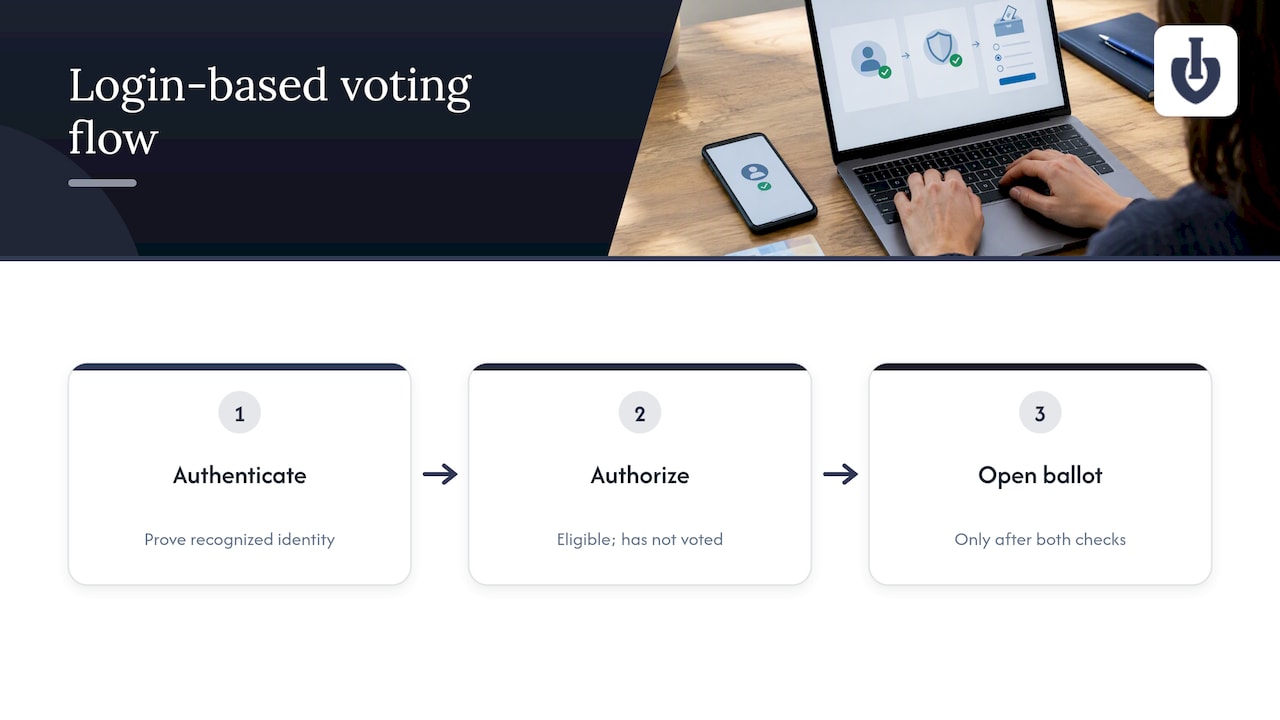
It is also what people mean when they search for a “login to vote system.” They want a way to let the right people vote, once, from any device, without handing out paper ballots or trusting an honor system.
How a login-to-vote system works
The flow is nearly identical across platforms:
- The organizer defines who may vote. This might be anyone with a confirmed email, members on a list, students at a school, or fans who sign in with a social account.
- The voter arrives at the voting page. It could be a standalone page or a voting widget embedded on your own site.
- The voter signs in. They use a code, a link, a password or an account you accept.
- The system checks eligibility and history. Is this person on the list, and have they used their vote already?
- The voter makes their selections and confirms.
- The ballot is recorded and the login is marked as used. A second attempt is blocked or limited by your rules.
- The organizer sees results and logs. Totals update, and the record shows what happened.
The credential is the gate and the counter at once: it decides who gets in and how many votes that person has left.
Choosing a login method
No single method is best. A 2010 Council of Europe e-voting handbook notes that, without a physical token, remote voters could use a username and password with a control question such as date of birth. The same handbook also warns that remote authentication without a physical token is less reliable. So match the method to what you are protecting.
| Login method | How it works | Best for | Main trade-off |
|---|---|---|---|
| Email verification | Voter confirms an email with a link or code | Fan awards, community contests, polls | Easy to create extra addresses, so pair with limits |
| Username and password | Credentials you issue from a voter list | Member organizations, boards | You must handle resets and lost credentials |
| Single sign-on (school or work account) | Voter signs in with an existing organizational account | Student elections, internal company votes | Needs the organization’s identity setup |
| Social login | Voter signs in with a social account | Audience and influencer contests | Some voters will not link a social profile |
| Unique code or link | One-time code sent to each voter | Closed ballots, small electorates | Distribution takes planning |
If you run a public awards program, a verified email is usually the right balance. Our guide to email verification voting covers when it is enough and when to step up. For formal elections inside a school or association, an account the organization already controls is stronger.
As a rule of thumb: the more the result matters and the smaller the eligible group, the stronger the login should be. The more public and casual the contest, the lighter it should be.
How the system verifies eligibility and blocks repeat votes
Two checks do the work.
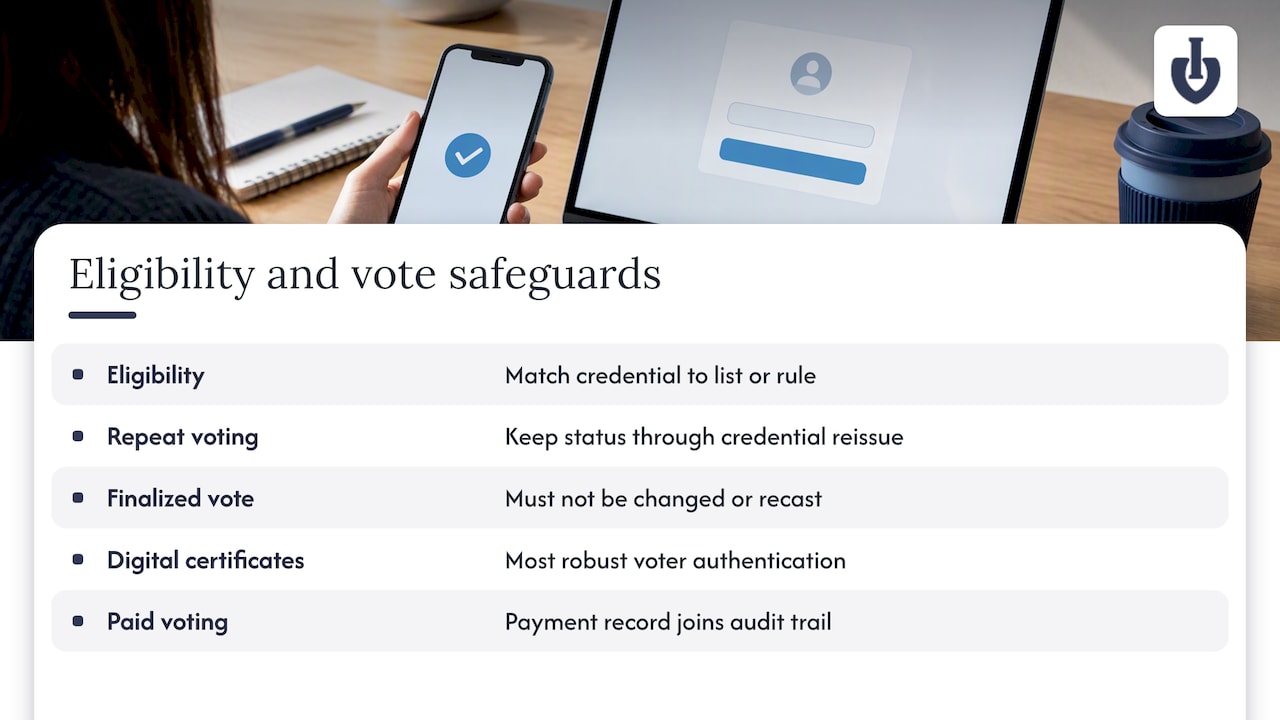
Eligibility. Either the voter is on a list you provided, or they meet a rule you set, such as owning a verified email or an organizational account. The credential is matched against that list or rule before any ballot appears.
One vote per voter. The system has to guarantee each voter votes only once, and the Council of Europe handbook also says a system needs to issue replacement usernames or passwords at short notice when someone loses theirs. That detail matters in practice: if a replacement credential creates a second vote, your count is wrong. A good platform reissues access but keeps the voting status attached to the voter record.
An Indian government e-voting checklist makes the same two points in plain terms. It calls for safeguards against unauthorized votes being added and says voters must not change or recast a vote once it is finalized.
At the strongest end, a position paper presented at a NIST workshop describes digital certificates as the most robust voter-authentication method, because voters can digitally sign their encrypted votes. That level suits government-grade elections. Most awards, schools and nonprofits do not need it, but it shows the direction: stronger proof of identity, stronger proof the vote is genuine.
If your votes carry a price, one more point applies. With paid voting, supporters may buy many votes by design, so the login still identifies the buyer and the payment record becomes part of your audit trail.
Keeping identity and ballot separate
A common worry: if voters log in, can you see how they voted? It depends on the design, and in a well-built system the answer is no.
The NIST workshop paper describes anonymizing votes before decryption to break the links between votes and voters, and it recommends data-level encryption to protect vote secrecy if a server is compromised. The archived U.S. voting system guidelines go the same way, stating that system records must not associate voter identity with ballot selections. An academic paper on a Peruvian e-voting design adds that once identity is verified, the system no longer needs information about the user, and votes are encrypted after submission.
For your event, that means a clear split:
- The login record shows that a person was eligible and has voted.
- The ballot record shows what was chosen.
- Nothing in the reports you see joins the two, unless your event is deliberately public, such as a contest where voters opt in to being shown.
Tell voters which type you run. A short sentence on the voting page (“We confirm your email to prevent duplicate votes. We do not publish who voted for whom”) answers the question before anyone asks it.
Security risks and how to reduce them
The risks are well understood. The e-voting handbook lists intercepted credentials, malware that changes vote choices, and server compromise, and recommends strong authentication, vote encryption, and individual and universal verification. Translated into organizer actions:
- Intercepted or shared credentials. Use one-time links or codes, expire them after use and limit how long a session stays open. The handbook also notes that disclosed credentials make vote-selling easier, so do not make credentials transferable.
- Malware on a voter’s device. You cannot control it, but you can show voters a confirmation of their choices before submission, which is the idea behind individual verification.
- Server compromise. The NIST workshop paper points out that SSL still leaves votes in clear text at the voting server, so an attacker with server access could expose voter privacy. Ask any vendor whether votes are encrypted at the data level, not only in transit.
- Undetected fraud. A 2026 French cybersecurity agency guide for non-political elections recommends detecting and alerting administrators to events, including malfunctions or fraud, that could alter the sincerity of the vote. In practice: watch for sudden spikes, repeated attempts from one source and unusual patterns, and keep the logs.
- Too much exposed surface. Archived U.S. guidance says voting systems should use multiple layers of controls and limit attack surfaces by cutting unnecessary code and data paths. For you, that means choosing a purpose-built tool over a patchwork of forms and spreadsheets. A Google Forms voting checklist shows where improvised setups fall short.
Keep perspective, too. An EU compendium on election cybersecurity says digital election solutions are no more or less secure than paper-based solutions, but should be introduced prudently and meet the same legal requirements. Online voting is not riskier by nature. It needs deliberate controls, as paper does. For a broader view of why these controls matter on any website that handles user accounts, see why cybersecurity matters online.
Setting up login-based voting step by step
A U.S. Center for Internet Security guide to election security describes the same sequence: organizers define eligibility requirements, select an authentication method such as SSO or unique credentials, and choose a platform with secure, encrypted and auditable processes. Management then means directing voters to a specific portal, watching for anomalies and auditing the results afterward.
Here is that process as a working checklist.
1. Decide who may vote
Write one sentence: “Eligible voters are ___.” Members on this list, students enrolled this term, anyone with a confirmed email. If you cannot say it in one sentence, your login rule will not work either.
2. Pick the lightest login that protects the result
Use the table above. Public fan vote: email verification. Closed election: accounts or issued credentials. Review the voting types and voter identity options your platform supports before you commit.
3. Set vote limits and timing
Decide how many votes each voter gets, per category or overall, and when voting opens and closes. Automatic closing removes the risk of someone forgetting to end the vote and keeps results clean.
4. Send voters to one official page
One portal, one link, announced everywhere. Embedding the voting page on your own site helps voters trust it, since they are not asked to sign in on an unfamiliar address.
5. Test with a few people
Have three people vote: one on a phone, one on a laptop, one who has forgotten their login. Fix what confuses them before launch.
6. Monitor while it runs
Watch the live totals and the voting pattern. Sudden jumps or many attempts from one source are the cue to look closer.
7. Audit and publish
When voting closes, check counts against your logs, then share results openly. Public contests earn more trust when people can see how the count was done. Our guide to transparent voting results shows how.
Making login easy for voters
Every step between the link and the ballot loses some voters. Accessibility is part of security, because a login people cannot complete pushes them to workarounds.
- Ask for as little as possible. An email and a code is usually enough for an audience vote.
- Work on any device. Voters should be able to use a phone, tablet or computer, with no app to install.
- Explain failure in plain words. “This email already voted” beats “Error 403.”
- Offer a recovery path. Lost codes should be easy to reissue without allowing a second vote.
- Keep the language simple. Short instructions, readable type, good contrast and labels that work with screen readers.
- Think about your audience. Students may already have a school account, while fans of a pageant or a local award may only have an email address.
For schools, an account the school already issues is the natural fit, and our page on student election voting shows how that works. For public contests, see online voting for awards and competitions.
Running login-based voting with Izivote
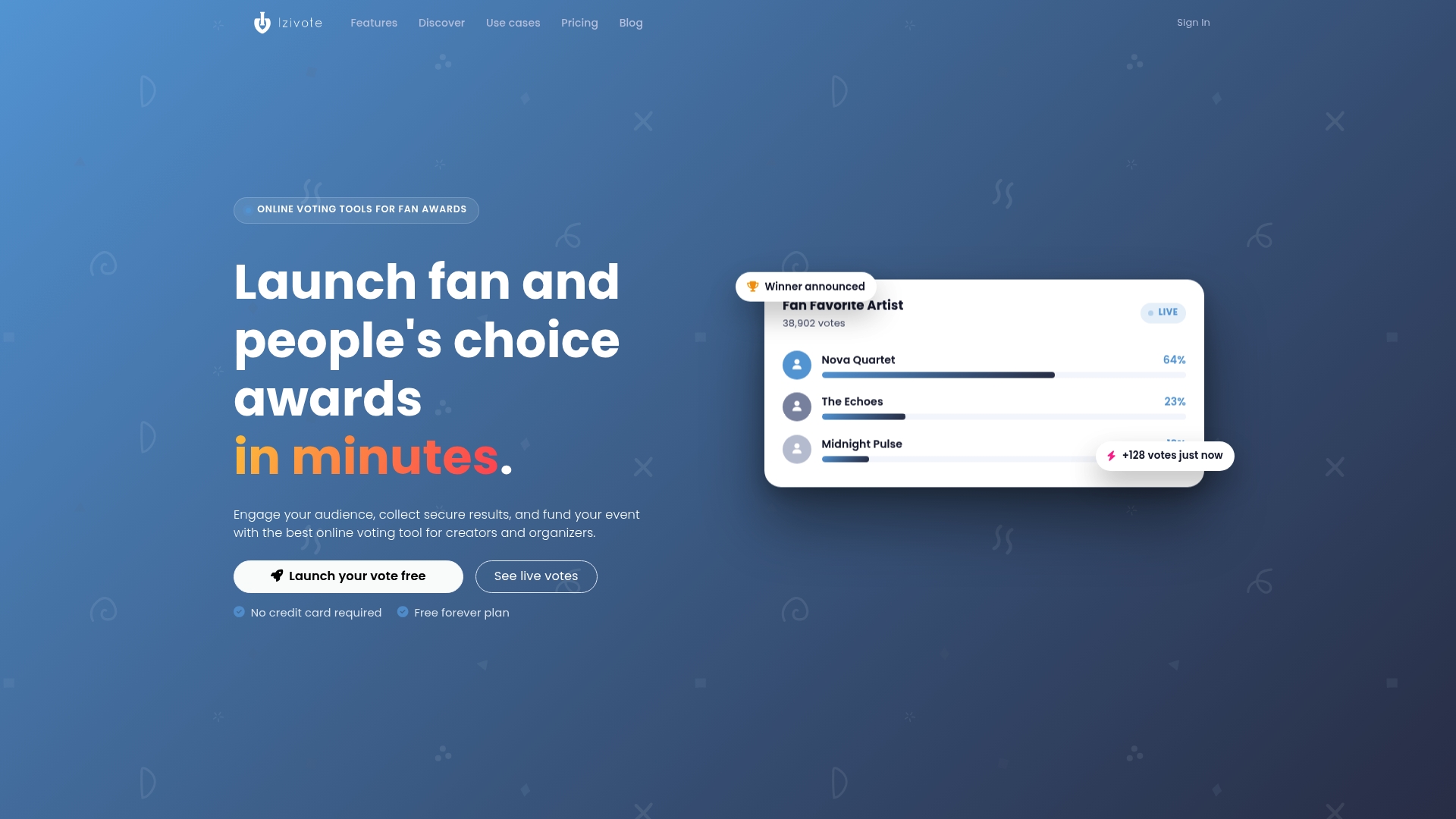
If you run a fan award, a people’s choice contest, a pageant or a school vote, we built Izivote for this job. You can choose among open, paid, login and identity-based voting modes, add nominee photos and profiles, embed the voting page on your site, and watch results on a live dashboard. Voting closes automatically when you set it to.
The Free plan lets you start a small event without paying. Pro is $6 per month or $60 per year, and Premium is $14 per month or $140 per year. If you run paid voting, a 10% platform fee applies per vote, with payment handling included. You can see everything on the pricing page, or go straight to create your vote and set up a login-protected ballot in one sitting.
FAQ
Is login-based voting the same as identity-based voting?
They overlap but are not identical. Login-based voting means voters sign in before voting. Identity-based voting means the sign-in confirms who the voter is, for example through a verified email or an organizational account. Different login methods give different levels of identity assurance.
Can organizers see who voted for whom?
Not in a well-designed system. The login proves eligibility, and the ballot is stored without being linked to the voter. Research on secure e-voting recommends separating the two and encrypting votes. Tell your voters up front what your event does and does not record.
What if a voter forgets their login?
Reissue access to the same voter record, so the replacement does not create a second vote. Good systems let organizers replace usernames or passwords quickly while still enforcing one vote per voter. Plan this in advance for closed elections with issued credentials.
Do I need a login for a small community contest?
Often a verified email is enough. It blocks casual repeat voting without making people create accounts. If the contest has prizes or serious stakes, or if you are raising money with paid votes, use a stronger login and monitor results during voting.
Sources
- E-voting handbook: key steps in the implementation (Council of Europe, 2010)
- UOCAVA Workshop Position Paper: Best Practices in Internet Voting (NIST)
- eVoting Checklist (STQC, India)
- VVSG Principles and Guidelines (NIST)
- VOTUM: Secure and Transparent E-Voting System (Springer)
- Recommendations for internet voting in non-political elections (ANSSI, 2026)
- Compendium on Cyber Security of Election Technology (EU, July 2018)
- The Essential Guide to Election Security (Center for Internet Security)
- Why cybersecurity matters for online success
Recommended